Commercial video intercom
Video intercom and door entry systems in San Diego
Commercial video intercom systems for offices, managed residential property and industrial sites — entry stations that show you who is at the door, directory calling for multi-tenant buildings, and door release wired to the locking hardware. Installed under CSLB C-7 low voltage, including retrofits onto the riser you already have.
Video Intercom
Who is at the door, and who decides whether they come in
A commercial intercom answers one question at the point where it matters: who is at the door, and should they be let through. Somebody presses a button at an entry station, somebody inside sees and hears them, and a decision gets made. Everything else in the specification follows from how your building wants to make that decision, and who is available to make it.
The reason buildings move from a plain buzzer to a video entry system is the seeing. A voice at a door carries almost no information — with audio alone, the person releasing the door is acting on what the caller says about themselves. That is workable where the door is supervised some other way, or where the population arriving is small and known. It stops being workable in a multi-tenant building taking deliveries all day.
What has also changed is where the answer happens. An older system tied the decision to a handset on a wall, which meant somebody had to be standing beside it. A current system routes the call to whoever is meant to take it, which is a different operational question and usually the one that decides the platform.
We work with IP and cloud-managed systems and with the analog riser you already have, because replacing a riser in an occupied building is frequently the largest cost in the project and frequently avoidable. Door release, locking hardware and the credential system behind it are surveyed together, since an intercom that opens a door is part of your access control whether or not it was bought that way.
That is with us. We will come back to arrange a survey. If it is urgent, call (858) 222-7547.
- CSLB C-7 #976737
- BSIS ACO #7501
- CMMC certified
- SAM.gov registered
- Est. 2008
The explainer
What a commercial video intercom system does
A commercial intercom system answers one question at the point where it matters: who is at the door, and should they come in. Somebody presses a button at an entry station. Somebody inside sees them, hears them, decides, and releases the door. Everything else these systems do is built on top of that transaction.
The reason buildings replace a plain door buzzer entry system with a video one is the seeing. A voice at a door carries almost no information, and a large share of unauthorised entry into commercial premises happens not because a lock failed but because somebody was buzzed in on the strength of a plausible sentence.
What has also changed is where the answer happens. An older system tied the decision to a handset on a wall. A current video intercom system routes the call to whoever is meant to take it, wherever they are — a desk, a building manager's phone, a tenant who is out. For a building with no permanently staffed lobby, that is usually the whole reason for the project.
Directory calling for multi-tenant offices and residential property
A single-occupier building can get away with a button and a handset. A building with many tenants cannot, and the reason is churn: occupancy changes constantly, and any system that puts a tenant's name on a physical component makes every change a site visit.
The two building types put different weight on it. In managed office property the entry station is often the front of house for tenants who have no reception of their own, and it is judged on how it handles couriers and unannounced visitors — the wider picture sits on our page for office and property management security. In managed residential property the same system is also the thing residents interact with daily, and it sits alongside privacy questions that shared residential space raises and commercial space does not; that context is covered under multifamily and apartment security.
We work on commercial premises only. Managed residential property is commercial premises in that sense — private homes are not, and that line does not move.
What directory calling changes
The tenant's name becomes a database entry, not a component
The visitor searches a list at the entry station and calls the tenant, who answers wherever they have chosen to. The name is a database entry, edited by whoever manages the building.
That makes it a management responsibility, and it is worth agreeing at handover: who may change entries, and how quickly a departing tenant comes off the list.
The same station, on managed residential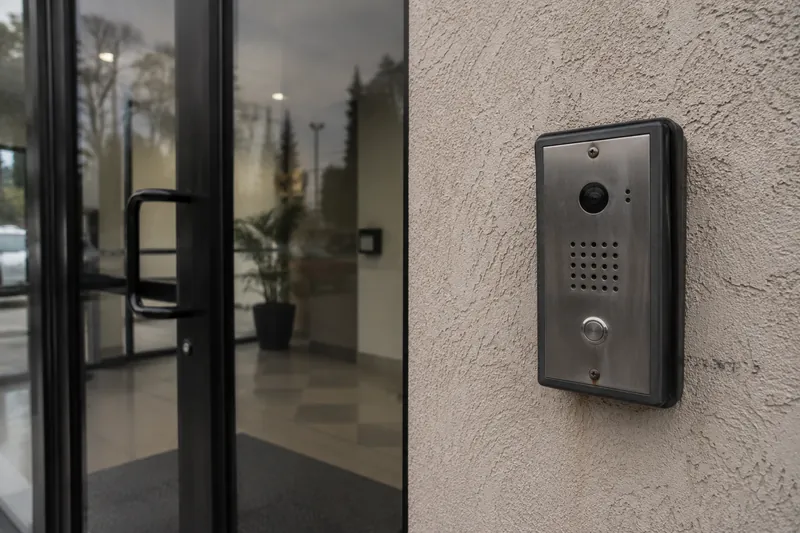
The first decision
Audio entry, video entry, and when audio is enough
Audio decides on a claim
With voice only, the person releasing the door is acting on what the caller says about themselves. Workable where the door is supervised some other way, or where the population arriving is small and known. Not workable at an unstaffed entrance to a building full of tenants.
Video decides on what is visible
Whether there is a parcel. Whether the person is alone. Whether the face matches somebody expected. None of that survives being described down a speaker by the person asking to be let in.
Where audio-only still stands up
A door inside an already-secured area, a service point behind a controlled perimeter, a station used for talking, not granting entry. We scope audio where audio is what the door needs. We do not fit a screen just to justify a bigger project.
The retrofit question
IP systems, cloud-managed systems, and the analog riser you already have
Most commercial intercom installations now are IP: the entry station is a network device carrying voice and video over the same cabling as everything else, administered through software. Cloud-managed platforms put the directory and the permissions in a browser, which is what makes remote answering and off-site management practical. Being a network device is also why an entry station sits inside a Section 889 review on federal and federally funded sites; NDAA compliant intercom systems covers what to check.
The complication in an existing building is the wiring. Older analog intercoms ran on their own riser — frequently a single pair to every unit or suite — and that cable is in walls nobody wants to open. It is the biggest cost variable in a retrofit, so it is the first thing to establish.
- Some current systems run on the legacy pair. There are platforms designed specifically to reuse an existing two-wire riser. Where that works, it removes most of the disruption from the job.
- Whether yours qualifies is a test, not an assumption. What is in the walls, its condition, and whether it verifies end to end — established at survey, before equipment is specified around it.
- A partial retrofit is a legitimate answer. New cabling to the entrance and the gate, where the demanding devices live, while the riser to the units is reused. Most real buildings land here.
- Sometimes the answer is a new run. If the existing cable will not certify, saying so at survey is cheaper than discovering it at commissioning.
Visitors, couriers, and the door that gets opened most
Most doors are not opened by intruders. They are opened by deliveries, contractors and visitors, and the system is judged on those, not on the rare event.
Deliveries are the volume
Couriers arrive constantly and rarely at a convenient moment. Seeing somebody holding a parcel and speaking to them, from wherever you are, is what stops the door being propped or a code handed around because the process was too slow.
Remote release, scoped narrowly
Releasing a door for somebody you can see is reasonable when deliberate and a problem when it is the default. Which doors, by whom, at which hours, and what is logged — decided at design and written down, not left to whoever is answering.
The record afterwards
An entry event that was seen and released should leave a trace. What is retained, for how long, and who can retrieve it are deliberate decisions — including the audio question, which has its own section below.
Gate and perimeter entry stations
A vehicle gate is where a video station earns most, and the hardest position to install well. The driver at a gate is the visitor you can least afford to identify by voice: a name through a speaker tells you nothing about what is on the back of the truck.
The design questions are different from a lobby door in three specific ways, and all three are settled on site:
- Reach from the vehicle. The station has to sit where a driver can use it without leaving the cab, across the range of vehicles using that entrance. One a truck driver cannot reach gets used by climbing down, which defeats the point.
- Exposure. An external station takes weather and impact. Manufacturers publish environmental and impact ratings; the right one is chosen against where the station is going, not claimed in general terms.
- Getting a cable there. The route to a gate crosses ground, not running through a building, and gates sit furthest from the comms room. A pathway question before an equipment one.
Yards, docks and vehicle entrances have their own pattern — scheduled movements, drivers who are not staff, and a perimeter that is the actual security boundary. That context is on our page for warehouse and logistics security.
Letting them in
Door release, locking hardware, and the credential system behind it
The intercom triggers, the hardware releases
The station sends a release signal. What happens at the door is determined by the locking hardware fitted to it — a separate design question, and the one people skip when they buy an intercom as a product.
Electric strikes
The existing lock stays and the keeper releases, which suits most standard commercial doors. Selection depends on the door, the frame and the existing lockset — looked at, not assumed from a photograph.
Magnetic locks
A maglock holds the leaf against the frame, used where the door or frame will not take a strike. It behaves differently on power loss, and that behaviour has to match what the door is for. Egress doors are governed by requirements belonging to other trades.
Where the fob fits
A key fob door entry system and an intercom are complementary, not alternatives: staff badge in and never call, visitors call and never badge. The credential side — who holds what, where, when, and how it is revoked — is set out under commercial access control.
One door schedule, not two
Where both exist, the doors, hardware and release logic are designed once. Two contractors specifying the same opening independently is how a building gets a door that unlocks in two ways and logs in neither.
Where our scope ends
Intercom, signal and low-voltage wiring is CSLB C-7 scope; credential and door-release integration touches BSIS ACO #7501. We do not hold a C-10 or a C-16, so fire alarm work — including the fire interface on a controlled door — is coordinated with your own licensed fire alarm contractor. Egress is never made dependent on this system.
Specifying it properly
Accessibility, exposure, and who actually buys this
Three things decide whether an installation is right, and none of them is the badge on the equipment.
- Accessibility is a code question with a project-specific answer. Accessible mounting height, reach and the operation of controls are governed by the requirements that apply to your project. We install to the requirement as documented for that project, established from its own drawings and its code consultant or architect — not from a dimension repeated on a website. Anyone quoting an accessibility figure off a web page is guessing, and it is not a good thing to guess about.
- Exposure decides the hardware. A station in a sheltered lobby and a station on an unlit gate post face completely different conditions. Manufacturers publish environmental and impact ratings for external units; the right rating is selected against the actual position, and we specify against the published figure.
- The buyer is solving a process problem. Property managers handling visitors without a staffed lobby. Office tenants whose couriers have nowhere to go. Industrial sites whose gate is the real perimeter. Residential managers replacing a system nobody can get parts for. It is bought to fix how the door works, not to add a screen.
The start is the same in every case: a survey of the actual doors, cable and entrance positions, a written account of what the existing infrastructure will support, and a design that says plainly what is reused and what is replaced. Commercial premises only, not private residences.
Cameras, cabling and the power the stations need
An entry station is a network device at the far edge of the building. Infrastructure decisions come before equipment decisions.
Distance is the first constraint
TIA and EIA permit a 100 metre channel for copper, and that figure includes the patch cords at both ends — not just the cable in the wall. The practical permanent link is therefore around 90 metres, shorter again once routing, vertical drops and slack are counted.
Entry stations sit at the worst positions
Entrances, gates and perimeter points are the furthest things from the comms room by definition — exactly where a run gets close to the limit, which is why distance is measured at survey, not estimated from a plan.
Power over the same cable
Most current stations are powered over the network cable, so the switch needs the capacity and the cable has to carry it. Higher-power loads in a bundle also produce heat, which is one reason cable choice is made per run.
The cabling underneath
Pathways, cable selection per run, labelling to ANSI/TIA-606 and certification of what was installed are the parts that outlast the equipment on top of them. That work is set out under structured cabling.
The station is not a camera system
An entry station shows you the person at the door. It does not cover the approach, the lobby, the car park or the yard, and it is not designed to. Where those need covering, that is commercial security camera installation.
Design them together
Where an intercom and a camera system go into the same building, the positions, pathways and switch capacity are worked out once. One survey, one contractor — and no argument later about whose device is at fault.
Intercom audio and California recording law
On a camera page the audio question is handled by scoping microphones out. On an intercom page it cannot be, because capturing audio is what an intercom is for. The live conversation is the product. The question is whether any of it is recorded, and in California that is a real question, not a formality.
California Penal Code section 632 prohibits intentionally recording a confidential communication without the consent of all parties. Both halves of the definition matter and are worth stating together, because quoting only the first overstates it: the statute defines a confidential communication as one carried on in circumstances that may reasonably indicate a party desires it to be confined to the parties, and it expressly excludes circumstances in which the parties may reasonably expect the communication may be overheard or recorded.
The house position
We will not invent a bright line the statute does not draw
Whether a given entrance sits inside or outside that definition depends on the facts of the space — a busy commercial lobby and a quiet residential door at the back of a building are not obviously the same case. It is not a determination we make for you.
So the house position is straightforward, and this is not legal advice: our default is to configure intercom audio for live conversation and not to record it. If you want intercom audio recorded, take it to your counsel first, and we will design to whatever they tell you.
Ask what we will and will not configure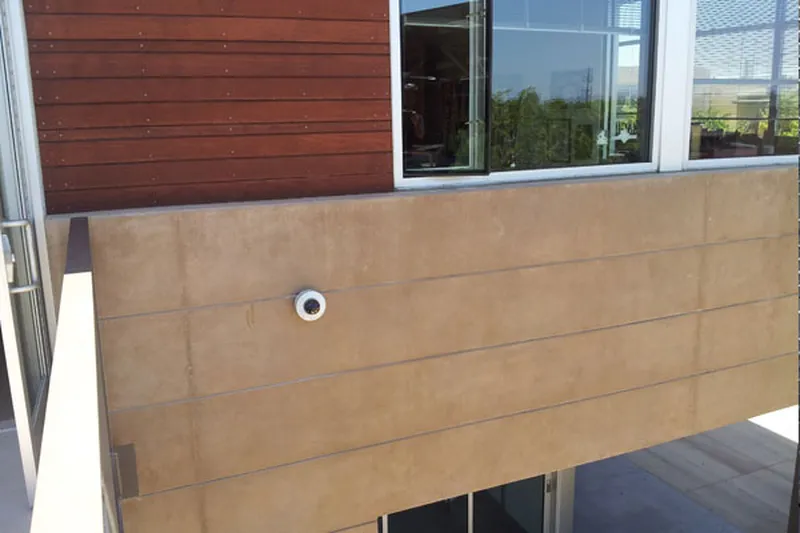
Common questions
Video intercom and door entry questions
It answers one question at the point where it matters: who is at the door, and should they be let in. A person presses a button at an entry station; someone inside — at a desk, on a handset, or on a phone anywhere — sees and hears them, decides, and releases the door if the answer is yes. Everything else a modern system offers is built on that. The reason buildings buy it over a plain buzzer is the seeing: a voice at a door tells you almost nothing, and a great deal of unauthorised entry to commercial premises happens because somebody was buzzed in on the strength of a plausible sentence.
An audio system carries a voice; a video system carries a voice and a picture of the person speaking. That sounds incremental and is not, because identification is the entire point of the transaction. With audio only, the decision to release a door rests on what somebody claims about themselves. With video, it rests on what the person answering can see — whether the delivery driver has a parcel, whether the person at a residential entrance is alone, whether the face matches the tenant who is expecting a visitor. Audio-only systems remain legitimate where the door is already supervised in some other way, and we will say so, not upsell a screen you do not need.
Sometimes, and it is one of the first things worth establishing because it changes the cost of the whole project. Many buildings have an existing riser running to every unit or suite, and some current systems are designed to work over that legacy pair, with no new structured cable to each station. Whether yours will depends on what is actually in the walls, what condition it is in, and whether it can be verified end to end, not assumed. So the honest sequence is to survey and test the existing cable before anybody specifies equipment around it — we would rather find out at survey that a riser is unusable than at commissioning.
The intercom triggers the release; the locking hardware does the work. That distinction matters because the hardware is where the design decisions live. An electric strike keeps the existing lock and releases the keeper, which suits most standard commercial doors. A magnetic lock holds the leaf against the frame and is used where the door or frame will not accept a strike. Each has different implications for how the door behaves when power is lost, and that behaviour has to match what the door is for — which is where the egress and fire questions come in, and those are settled with the people who own them, not assumed by us.
Through a directory, not a wall of buttons. A visitor finds the tenant on a searchable list at the entry station and calls them; the call routes to whatever that tenant has chosen to answer on. The practical advantage over a physical button panel is that occupancy changes constantly in both office and residential buildings, and a directory entry is edited by whoever manages the building, not re-engraved. The management question that follows is who is permitted to change entries and how quickly a departing tenant comes off — which is a process to agree at handover.
That is one of the more common reasons buildings replace an older system, and it is a design conversation. Because a call can be answered remotely, a delivery can be seen and spoken to by somebody who is not in the building. What matters is the rule you set around it: which doors can be released remotely, by whom, at which hours, and what gets logged. Releasing a door for somebody you can see holding a parcel is a reasonable thing to do deliberately and a poor thing to do by default. We scope it narrowly, log it, and agree it in advance. We do not ship an open door by default.
They capture audio by design — that is what an intercom is — and whether any of it may be RECORDED is a genuine question in California — not a formality. California Penal Code section 632 prohibits intentionally recording a confidential communication without the consent of all parties. The statute defines a confidential communication as one carried on in circumstances that may reasonably indicate a party desires it to be confined to the parties, and it expressly excludes circumstances in which the parties may reasonably expect the communication may be overheard or recorded. Whether a given entrance falls inside or outside that definition depends on the facts of the space, and it is not a determination we make for you. This is not legal advice. If you want intercom audio recorded, take it to your counsel first and we will design to whatever they tell you; our default is to configure for live conversation without recording it.
Most current commercial systems are IP devices powered over the network cable, so the practical requirement is a properly installed structured cabling run from the station back to a switch with the capacity to power it. The limits that bite are the standard ones: TIA and EIA permit a 100 metre channel for copper, and that figure includes the patch cords at both ends, which leaves roughly 90 metres of permanent link and less again once the route, the vertical drops and the slack are counted. Entry stations sit at building edges and gates, which are exactly the positions furthest from the comms room, so the distance is checked at survey, not discovered during commissioning.
Yes, and it is one of the places a video station earns most, because a driver at a gate is the visitor you can least afford to identify by voice alone. The design questions are different from a lobby door: the station has to sit where a driver can reach it from the vehicle, it is fully exposed to weather and to being struck, and getting a cable to it usually means a route across ground, not through a building. Manufacturers publish environmental and impact ratings for external stations, and the right one is chosen against where the station is actually going. All of that is established on site.
CSLB #976737. Intercom is one of the trades the C-7 classification names explicitly, alongside communication and signal systems, so this is about as squarely inside a licence as low-voltage work gets. Where the intercom releases a door, the access-control side of that also touches BSIS ACO #7501, which we hold. The only part of a door we will not touch is a fire-rated release tied into the fire alarm — no C-10, no C-16.
Related services
Other commercial services
Access Control Systems
Card, fob and mobile credential systems — readers, controllers, electric locking hardware, and integration with the camera system.
Biometric Access Control
Fingerprint, facial and palm credentials for the commercial openings where a credential must not be transferable — server rooms, cash handling, controlled inventory and pedestrian gates. Installed under ACO #7501, with the template storage and retention questions settled at design.
CCTV Maintenance & Repair
Scheduled preventive maintenance contracts and on-call repair for commercial camera systems — including systems we did not install. Camera replacement, cabling faults, NVR and storage failures, firmware and retention audits.
Commercial Alarm Monitoring
Central-station monitoring for commercial intrusion alarms — panels, contacts, motion and glassbreak detection, video verification against the camera system, and takeover of an existing panel. Intrusion only.