Commercial access control
Commercial access control installation in San Diego
Card, fob, mobile credential and biometric access control for commercial buildings across San Diego County. Single door or multi-site, integrated with the cameras and alarm you already have.
Access Control
Tell us which doors, and who should not be opening them
The useful conversation about access control starts with a door schedule, not a product. Which openings matter, who currently gets through each one, and which of those answers you are no longer confident about. On most commercial sites the last question is the uncomfortable one: nobody can say with certainty who still holds a working key to the rear entrance, because keys leave buildings and rekeying a master-keyed suite is a cost people postpone.
So the survey establishes the openings first. A main entrance behaves differently from a server room, a suite door from a rear dock door, and each gets a locking arrangement chosen for its role rather than a uniform one applied across the building. Where cameras or an intrusion alarm are already installed, we establish what can genuinely be integrated and where a manufacturer boundary means two systems will stay separate. We will say which it is rather than implying everything talks to everything.
If you already have readers, controllers and locks, the survey tells you which of them survive. Door hardware, cabling and power supplies frequently do. What forces replacement is a credential technology that is no longer safe to run, or a controller nobody issues firmware for any more. Egress is designed in from the start, because people have to get out whether or not the system has power. We hold BSIS ACO and C-7 licences; the fire alarm interface is coordinated with your fire alarm contractor, never worked on by us.
That is with us. We will come back to arrange a survey. If it is urgent, call (858) 222-7547.
- CSLB C-7 #976737
- BSIS ACO #7501
- CMMC certified
- SAM.gov registered
- Est. 2008
Why commercial buildings move off keys
A key you cannot revoke is a door you do not control
Mechanical keys have one failure mode that no amount of policy fixes: they leave the building. When a member of staff resigns, a contractor finishes a fit-out or a key is lost in a parking lot, the only way to restore control of that door is to rekey the cylinder — and in a building with a master key system, rekeying one door can mean rekeying the suite. Most commercial sites postpone that cost, which means they spend long periods not actually knowing who can open their doors.
An access control system replaces that with a credential you can cancel in seconds from a browser. It also produces something a key never can: a record of which credential opened which door and when. That record is what turns a vague suspicion into a specific question, and it is what your insurer, your auditor or an investigator will ask for.
What you are actually buying
Administrative control, not a barrier
Then there is scheduling. Doors that unlock for business hours and secure themselves outside them, cleaning contractors whose credentials only work on the evenings they are booked, a server room that admits four people, when a building key admits everyone — none of that is expressible in brass. It is routine in software.
For facility managers the honest framing is this: access control is not primarily a barrier against forced entry — a determined intruder does not present a credential. It is administrative control over legitimate access, and it is worth installing when the cost of not knowing who has keys has become higher than the cost of the system.
Credentials across a property portfolio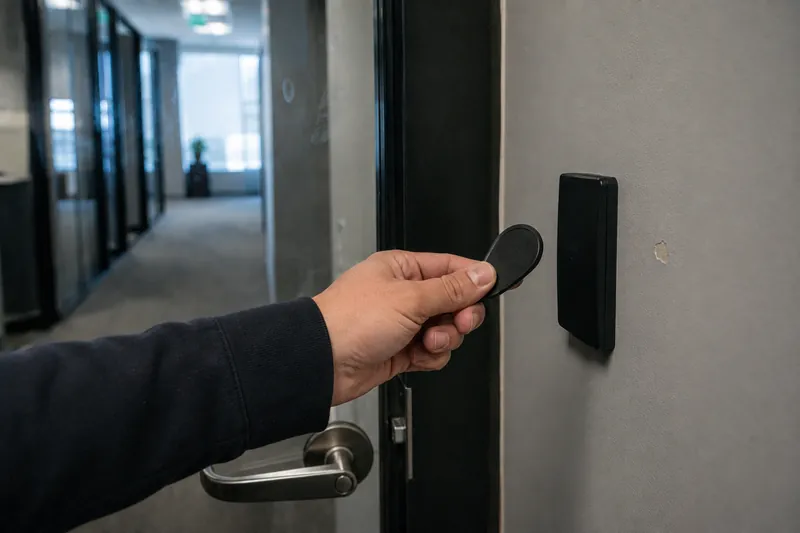
Credential types
How people get through the door
Card and fob
The commercial default: a badge or fob presented to a reader. Cheap to issue, familiar to staff, and easy to hand to a visitor or contractor. Where a site is still running legacy 125 kHz proximity cards, we will say so directly — that technology can be cloned with inexpensive equipment, and modern encrypted smart-card formats exist precisely because it can.
Mobile credential
The credential is issued to the user's phone and presented over Bluetooth or NFC. Issue and revocation are immediate and remote, which matters most where staff turnover is high or where several sites are administered by one person. People also forget a phone far less often than a badge.
Keypad and PIN
Appropriate for low-traffic internal doors and as a second factor on a sensitive door, not as a building's primary method. A PIN is shareable and does not expire on its own, so on its own it tells you that someone who knew the code opened the door — not who.
Biometric
Fingerprint or facial readers for doors where the credential must not be transferable — server rooms, cash handling, controlled inventory, pharmacy and evidence storage. Biometric data is regulated personal information, so the decision includes where templates are stored and what your retention policy says, not only which reader to buy.
Intercom and remote release
For visitor doors, gates and delivery entrances where someone has to be admitted by another person. Audio or video entry at the door, released from reception or from a phone — commonly the piece that gets added after the main system is in.
Locking hardware
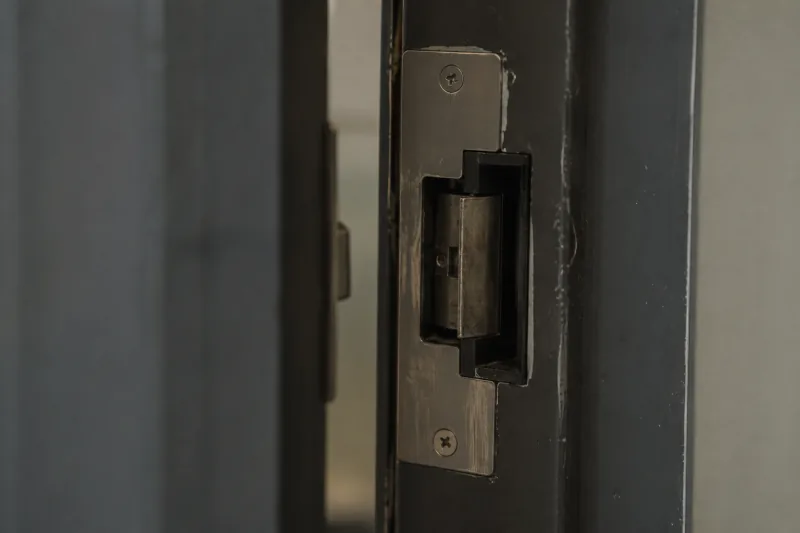
Electric strikes, magnetic locks, electrified mortise locks and crash-bar hardware, specified per door according to its construction, its traffic and its egress role. This is where most of the physical work sits, and where a system that was specified from a price list usually goes wrong.
Integration
Access control that works with the cameras and alarm you already have
An access control system on its own tells you that a credential opened a door. It cannot tell you who was holding it. That gap is closed by tying the access events to the camera system, so that a door event and the footage of that door at that moment are retrievable together. Reconciling them by hand across two clocks.
The pairings that earn their keep on commercial sites:
- Doors linked to camera footage. A badge event at a door and the footage of that door, retrievable as one record. This is the single most useful integration and the one most often skipped.
- Alarm interaction. A valid credential on the right schedule disarms the intrusion system on entry, which removes the most common cause of false alarms — staff arriving before someone disarms the panel — and with it the fines that follow repeat false activations.
- Forced and held-open door alerts. A door opened without a credential, or propped open past a set interval, raises an alert.
- Time synchronisation across systems. Unglamorous and critical: if the door controller and the recorder disagree on the time, correlating the two after an incident becomes guesswork, and the evidentiary value of both drops.
Where a manufacturer boundary means two systems genuinely will not integrate, we say so at survey, not after installation. Some combinations of legacy controller and current recorder have no supported path between them, and the honest options then are a documented manual procedure or replacing one side — not a claim that they will talk.
If the camera side is the weaker half, that is a separate conversation: see CCTV maintenance and repair for existing systems, and the camera installation page for new coverage. Door positions are also the hardest cable pathways in most buildings — see network cabling services for the infrastructure side.
Cloud-hosted or on-premise
This is the decision with the longest tail, because it determines who can administer the system, what happens when the internet drops, and what you are committed to paying for years after installation.
Cloud-hosted platforms put administration in a browser. Credentials are issued and revoked from anywhere, several sites are managed from one console, and software updates arrive without a site visit. The trade-offs are a recurring subscription for as long as you run the system, and a dependency on the vendor continuing to exist and continuing to support the hardware you bought. Properly designed, door controllers hold their credential database locally and keep enforcing access during an internet outage — but you should confirm that is true of the specific platform.
On-premise keeps the records inside the building
On-premise platforms keep the server and the access records inside the building. That suits organisations with IT staff, procurement rules that prohibit external hosting, or a policy requirement that access data does not leave the site — government, defence-adjacent and some medical facilities regularly fall here. The cost moves from a subscription to your own maintenance: the server, backups, and applying updates are yours.
There is no universally correct answer, and a contractor who only ever recommends one of the two is telling you about their margin, not your building — see whether the hardware meets NDAA §889 for the procurement side of that choice.
Where it is installed
Commercial sites we work on
Offices and multi-tenant
Main entrance on a schedule, tenant suites separated from common areas, server and comms rooms restricted to a named few, and credentials that can be revoked the day someone leaves. In multi-tenant buildings the boundary between landlord and tenant responsibility has to be settled before design, not after.
Warehouses and distribution
Roller doors, dock doors and yard gates alongside pedestrian entrances, usually with contractors and drivers needing time-limited access to some doors and none to others. High-value stock areas are separated from the general floor.
Medical and dental
Patient areas separated from clinical and records areas, controlled access to medication and supply storage, and an access record that supports a facility's own privacy obligations. Egress and accessibility requirements are unusually strict here and are designed in first.
Government and defence-adjacent
Documented access policy, retained audit records, procurement rules about where data is hosted, and equipment provenance requirements. These sites are the most common reason to specify on-premise hosting and NDAA §889 compliant hardware.
Property management portfolios
Several buildings administered by one small team, which is the case cloud platforms are strongest for: one console, consistent credential policy across sites, and no travelling to a building to add a user.
Manufacturing and industrial
Plant areas restricted by role, contractor access limited to the days they are booked, and doors specified for environments where dust, washdown or heavy traffic would destroy hardware chosen for an office.
Install and service
How an installation runs, and what happens afterwards
Every job starts with a door-by-door survey. The camera count is the least useful number about a camera system, and the door count is the least useful number about an access system — what matters is what each door is made of, which way it swings, what its egress role is, whether there is power and pathway to it, and who actually needs to pass through it. We do not quote access control off a door count over the phone.
The survey establishes:
- Each door's construction, frame type and existing hardware, and whether it can take the locking method being considered.
- Its egress role, so that fail-safe and fail-secure hardware is chosen per door, not applied uniformly across the building.
- Cable routes, power supply positions and network availability — usually the largest variable in the cost of the work.
- Who administers the system afterwards, which is what decides cloud versus on-premise more often than any technical factor.
- What is already installed, including credentials still valid for people who have left, and any door hardware that is non-compliant or unsafe as found.
Installation covers cabling, reader and controller mounting, locking hardware, power and battery backup, network configuration, and commissioning each door individually — badge in, badge out, confirm the event lands in the log with the correct time. Coordination with your fire alarm contractor and the AHJ on the egress interface happens before commissioning, not after.
Handover and afterwards
You should never have to call us to add a member of staff
Handover includes documented credentials for your own administrators. You should not have to call your installer to add a member of staff, and you should never be in the position — common on systems we take over — where nobody currently in the building can administer the system at all.
Afterwards, access control needs maintenance for the same reason cameras do. We maintain systems on scheduled visits, including systems we did not install, and we audit credential lists against your current staff.
- Door hardware is mechanical and wears
- Battery backups age out of their useful life
- Credential lists drift as people join and leave
Common questions
Commercial access control questions
Yes, and that is the majority of what we do. Access control is rarely the first system in a commercial building — it usually arrives after the cameras and the intrusion alarm are already in. We survey what is installed, establish what can be integrated and what cannot, and tell you plainly where a manufacturer boundary means two systems will stay separate. Pretending everything talks to everything.
Not always. Door hardware, cabling and power supplies frequently survive a controller or platform change, and reusing them is usually the cheaper path. What forces replacement is a credential technology that is no longer safe to run — most often legacy 125 kHz proximity cards, which can be cloned with inexpensive equipment — or a controller the manufacturer has stopped issuing firmware for. We survey first and tell you which category your hardware is in.
It depends on who administers the system and how many sites you have. Cloud platforms suit organisations with multiple locations, staff turnover that requires frequent credential changes, or no on-site IT — administration is browser-based and updates arrive without a site visit, but there is an ongoing subscription and you depend on the vendor remaining in business. On-premise suits sites with IT staff, procurement rules that prohibit external hosting, or a requirement that access records never leave the building. Both are legitimate. We will tell you which fits your operation. Defaulting to whichever carries a recurring margin.
Egress must never depend on the access control system: people have to be able to get out whether or not the system has power. That is a life-safety requirement and it is designed in from the start, using fail-safe or fail-secure locking hardware chosen per door according to its role, plus battery backup on the controllers. The interface between the access control system and the fire alarm is a specific coordination point — we hold C-7 low voltage and BSIS ACO licences but not a C-10 or C-16, so we do not work on fire alarm systems. We coordinate the interface with your fire alarm contractor and the AHJ, not touching the fire panel ourselves.
Yes. Mobile credentials issued to a phone are supported by every current commercial platform and are usually issued and revoked from the same browser console as cards. The practical advantage is that people forget their phone far less often than they forget a badge, and revocation is immediate when someone leaves. Most sites run mobile and physical credentials side by side, not choosing one — visitors, contractors and staff without a compatible phone still need a card or fob.
Yes. We take over maintenance of existing systems, including systems whose original installer is no longer trading or no longer supporting the platform. The starting point is a survey establishing what is installed, whether it is still supported, who holds the administrative credentials, and whether the door hardware is compliant. The most common thing we find is not a broken system — it is a system nobody currently has full administrative access to.
Yes. San Diego CCTV Pros holds a BSIS Alarm Company Operator licence (ACO #7501), which is the licence California requires for access control, alarm and monitored CCTV work, and CSLB #976737 — a C-7 low voltage contractor's licence covering the cabling, readers and intercom side. Both numbers are on public state registers, so verify them, not taking the claim from this page. Fire alarm is outside both: no C-10, no C-16, so we do not touch it.
Related services
Other commercial services
Biometric Access Control
Fingerprint, facial and palm credentials for the commercial openings where a credential must not be transferable — server rooms, cash handling, controlled inventory and pedestrian gates. Installed under ACO #7501, with the template storage and retention questions settled at design.
CCTV Maintenance & Repair
Scheduled preventive maintenance contracts and on-call repair for commercial camera systems — including systems we did not install. Camera replacement, cabling faults, NVR and storage failures, firmware and retention audits.
Commercial Alarm Monitoring
Central-station monitoring for commercial intrusion alarms — panels, contacts, motion and glassbreak detection, video verification against the camera system, and takeover of an existing panel. Intrusion only.
Gate Access Control Systems
Access control at the vehicle gate and the perimeter — readers, keypads, mobile credentials, transmitters, telephone entry and loop and safety-device integration, wired and commissioned under C-7 and ACO. The gate operator itself is your gate contractor's; we coordinate with them.